 unreplied.email
You wrote.
They will reply soon
never did.
Unreplied is an Outlook add-in that lists every email you sent that never got an answer — oldest first — so you know exactly who to nudge. It never nags you about mail you owe. Only the people who owe you.
Your sent folder, minus everyone who answered.
Connect
Add Unreplied to Outlook and sign in. It reads your mailbox through Microsoft's own API — everything is processed on your device, and no mail ever touches our servers.
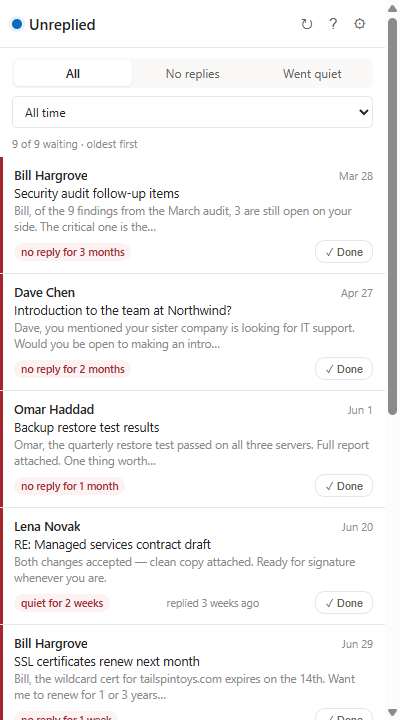
See who went quiet
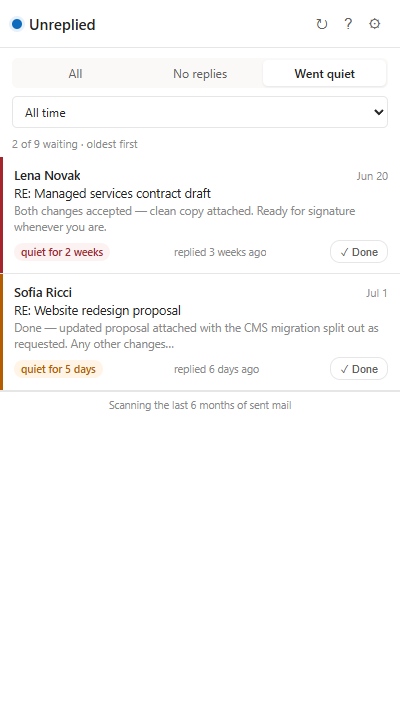
Threads where you spoke last, sorted by how long you've been waiting. Filter from 1 day to 3 months. If they replied last, the thread stays out of your way.
Nudge or dismiss
Click a row to open the original email and follow up, or mark it Done if you no longer expect an answer. Done flags sync across your devices.
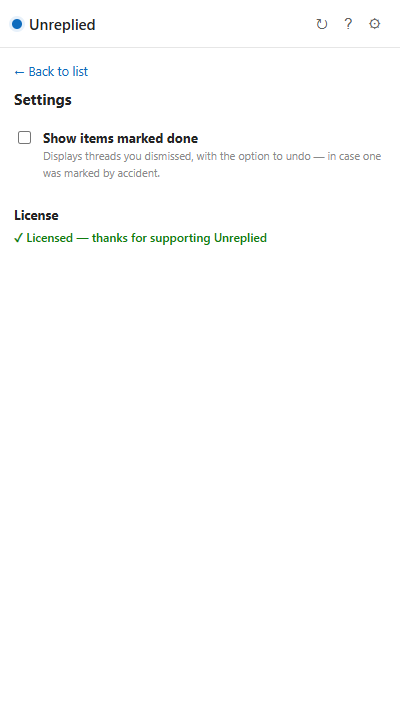
Right there in Outlook, next to your mail.
A dollar a month. Billed like it's 2005.
Fair questions, answered.
Does it read my email?
It reads message headers and previews through the official Microsoft Graph API, entirely on your device, to work out which conversations are still waiting on a reply. Nothing is uploaded, stored, or analyzed anywhere else — our server only ever sees your license key. See the privacy policy.
Will it nag me about emails I haven't answered?
No — that's the whole point. Unreplied only tracks mail where you are owed a response. Your own reply debt is your business.
Which Outlook versions work?
Outlook for Windows (new Outlook and Microsoft 365), Outlook for Mac, and Outlook on the web — with a work/school (Microsoft 365) or personal Microsoft account.
What happens when the trial ends?
The list pauses and asks for a license key. Buy one here, paste it into the add-in's settings, and everything picks up where it left off — including your Done flags.
How do I cancel?
Self-serve, in the billing portal — enter your purchase email and Stripe signs you in. Cancel anytime; the license runs to the end of the year you paid for.